Why Businesses Are Moving from Airtable to Notion + NotionApps
A practical breakdown of why businesses are moving from Airtable to Notion and NotionApps to build scalable systems, internal tools, and better workflows.
Dec 26, 2025
For years, Airtable was the default answer for any team that outgrew spreadsheets. It brought structure to chaos, turning static rows and columns into powerful, collaborative databases. It became the engine behind countless content calendars, CRMs, and inventory trackers.
But as companies scale, raw data isn't enough.
Teams today don't just need a place to store records; they need a place to do the work. They need context, documentation, and seamless workflows wrapping around that data. This need for a more integrated "operating system" is driving a significant migration. Businesses are increasingly moving away from rigid database tools and toward Notion, paired with powerful extensions like NotionApps, to build internal systems that are as user-friendly as they are functional.
Introduction: The Shift Away from Spreadsheet-First Tools
Airtable solved a specific problem effectively: it made databases accessible. It allowed non-technical teams to build relational data structures without writing SQL. However, the modern workspace has evolved. We are no longer just managing lists of assets or leads; we are managing the complex processes, decisions, and people attached to them.
In 2025, the expectation for internal tools has changed.
Teams want a single environment where their data lives right next to their documentation. They want a system that adapts to their workflow, rather than forcing their workflow to fit into a table. This is where the friction with spreadsheet-first tools begins. When your project tracker lives in one app and your project specs live in another, you create a disconnect that slows everyone down.
This is why the move to Notion is accelerating. It is not just about cost or simplicity; it is about consolidation. Notion offers a foundation where structured databases and unstructured documents coexist.
And the ecosystem has matured to match this ambition. With integrations like NotionApps, you can now take those Notion databases and transform them into professional, interface-driven application, complete with granular permissions and mobile-friendly designs. This combination offers a compelling alternative to Airtable: a workspace that feels less like a grid of data and more like a custom operating system built specifically for your team.
Airtable’s Strengths and Where It Starts Falling Short
Airtable earned its reputation for a reason. It occupies the perfect middle ground between a rigid database and a flexible spreadsheet. For thousands of teams, it was the first time they could build a real internal system without needing a developer on staff.
What Airtable Does Well
Airtable is excellent when your primary need is structured data management.
Robust Data Handling: It manages rich field types like attachments, linked records, and single selects far better than Excel ever could.
Visual Flexibility: The ability to switch between Grid, Kanban, Calendar, and Gallery views makes data easy to digest.
Logic and Calculation: It offers powerful filtering, sorting, and formula capabilities that data heavy teams rely on.
Simplified Input: The form view remains one of the easiest ways to gather structured data from outside your team.
For operations managers handling inventory, content catalogues, or asset tracking, Airtable feels like a massive upgrade from the chaos of Google Sheets.
Where Airtable Starts to Struggle
However, as your company scales, the "spreadsheet first" philosophy begins to show its cracks.
The Context Gap: Data sits in rows, but the strategy, documentation, and actual conversation about that data usually live in a different app entirely.
Not Built for Workflows: Turning a database into a user friendly tool often requires expensive plan upgrades or third party extensions.
The "Spreadsheet Fatigue": For a data analyst, a grid is fine. For a sales rep or a field worker, staring at a massive spreadsheet is overwhelming and error prone.
Cost at Scale: As you add team members and hit record limits, the pricing can ramp up significantly.
Airtable is a master of organizing data. But eventually, most businesses realize they need more than just well organized rows. They need a workspace where the data, the context, and the execution all happen in one place. This specific gap is what drives teams to look for a more integrated solution.
Notion as a More Complete Business Workspace
Airtable manages data. Notion manages work. This distinction is critical as your team grows and your processes become more complex.
Notion unifies documents, databases, and collaboration in a single environment. It does not treat data as isolated rows in a table. It treats information as part of a larger context. Notes, instructions, discussions, and decisions all live together in one place.
More Than Just Databases
Notion databases are capable on their own, but their true value lies in how they integrate with everything else.
Databases and documents coexist without friction.
Every single row functions as a standalone, fully formatted page.
Teams can embed SOPs and guidelines directly next to their records.
Dashboards provide high level clarity without forcing you to dig into raw data.
This approach ensures you understand why a data point exists, rather than just seeing the number itself.
Built for Cross Team Work
Notion scales naturally across your entire organization.
You can create shared workspaces for operations, sales, marketing, and HR.
Relational databases link your projects, tasks, customers, and assets together.
Precise permissions let you control exactly who sees what.
Real time collaboration keeps every department aligned.
You no longer need separate tools for documentation, tracking, and planning. You bring them all into one unified system.
From Data Storage to System Building
With Notion, businesses stop just storing information and start building actual systems. A basic database can evolve into a complex project tracker, a company knowledge base, or an internal hub. You do this without migrating data or switching platforms.
This flexibility is why many teams view Notion not just as a database tool, but as a superior foundation for their entire operation.
Where NotionApps Changes Everything
Notion on its own is already a powerful workspace. But for many businesses, the real challenge isn’t storing information, it’s using that information in day-to-day operations. This is where NotionApps changes the game.
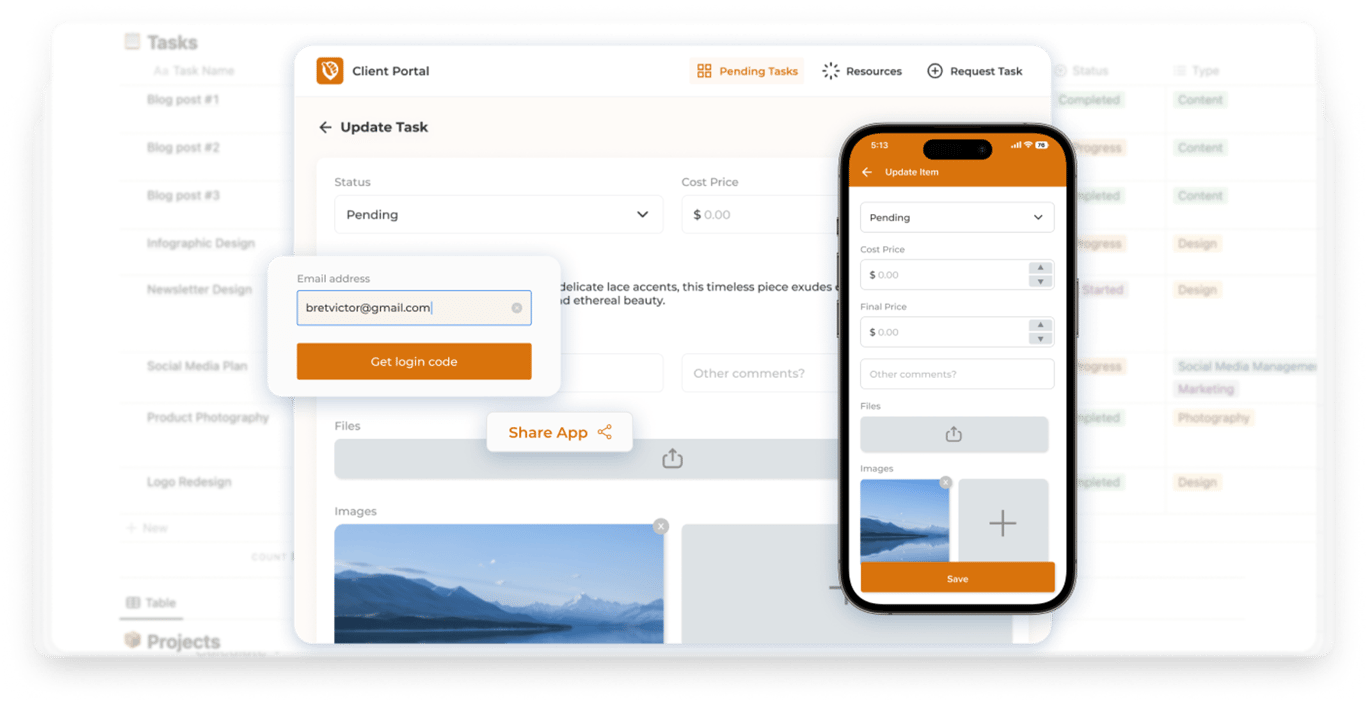
NotionApps sits on top of your Notion databases and turns them into clean, purpose-built web and mobile apps. Instead of asking teams to work directly inside raw databases, you give them simple interfaces designed for exactly what they need to do.
From Databases to Real Apps
With NotionApps, your existing Notion databases can become:
internal tools
operational dashboards
data entry apps
approval systems
role-based views for different teams
Users don’t need to understand how Notion works under the hood. They just open an app, interact with forms, lists, and actions, and get their job done.
This solves one of the biggest pain points teams face when using tools like Airtable or Notion directly: adoption.
Pre-Built NotionApps Templates (Huge Time Saver)
One of the most practical advantages of NotionApps is its growing library of ready-made templates. These templates are built on top of proven Notion database structures and come with app interfaces already designed.
Common templates include:
Order management systems
Inventory and asset tracking
CRM and lead management
Task and project trackers
Request and approval workflows
Internal dashboards for teams
Instead of starting from scratch, businesses can pick a template, connect it to their Notion workspace, and start using a working app almost immediately.
Why Templates Matter for Businesses
Templates dramatically reduce setup time and risk.
No need to design workflows from scratch
Best practices are already baked in
Faster onboarding for teams
Easier to iterate and customize later
For many teams moving from Airtable, this feels like a big step up. Instead of rebuilding tables and then figuring out how to make them usable, they start with something that already feels like a finished product.
Real Business Use Cases Driving the Shift
When businesses move away from Airtable, it is rarely due to a single missing feature. It happens because their workflows have become fragmented, difficult to navigate, or hard to scale. Notion, especially when paired with NotionApps, solves this by transforming static databases into systems that teams actually enjoy using.
Here are the most common scenarios driving this migration.
1. Order & Customer Management Airtable is often the starting point for tracking orders, but as volume grows, the tables become dense and intimidating for non-technical staff.
The Shift: With Notion and NotionApps, you move away from raw rows. Orders live in a structured database, but your team interacts with them through a clean, custom interface. They can update statuses, filter views, and access customer history—notes, documents, and emails—right alongside the record. It feels like using a purpose-built software product, not a spreadsheet.
2. Inventory & Asset Tracking Airtable handles the data of inventory well, but asking warehouse staff to navigate a massive grid on a tablet is a recipe for error.
The Shift: NotionApps solves the usability gap. You can build simplified mobile interfaces that show staff only what they need to see. They can scan items, update stock levels, or flag maintenance issues without ever touching the backend database. This leads to better data accuracy and higher adoption from the team on the floor.
3. Internal CRMs Airtable CRMs often fail because they lack context. You have the deal value, but where are the meeting notes? Where is the proposal document?
The Shift: Notion connects the dots. Leads and deals are linked directly to your tasks, meeting notes, and project docs. Sales and Ops teams work from the same shared reality. NotionApps then layers a clean CRM interface on top, giving your sales team a focused view of their pipeline without the distraction of unrelated data.
4. Requests & Approval Workflows Managing approvals in a spreadsheet is clunky. Changing a cell from "Pending" to "Approved" inside a grid of 500 rows is tedious and prone to mistakes.
The Shift: Notion + NotionApps turns this into a proper workflow. Team members submit requests through a clean form. Managers see a dedicated approval dashboard where they can accept or reject items with a single click. The status updates automatically, and the entire audit trail is preserved inside Notion.
5. Team Dashboards & Reporting In spreadsheet-first tools, reporting often means creating multiple specific views that eventually get ignored.
The Shift: Notion allows you to build shared dashboards where leadership sees high-level metrics while individual teams see their specific tasks. Because the documentation lives right next to the data, the numbers always have context. Decision-making becomes faster and more transparent.
The Bottom Line Across all these use cases, the pattern is consistent. Airtable is excellent at managing data. Notion and NotionApps are excellent at turning that data into a system that people actually use.
Cost, Scale, and Team Adoption
Beyond features and flexibility, businesses ultimately care about three things: the bottom line, the ability to grow, and whether their people will actually use the software. This is where many Airtable setups begin to crack—and where Notion, paired with NotionApps, offers a more logical path forward.
The "Success Tax" of Spreadsheet Tools
Airtable’s pricing model is excellent for small teams, but it tends to punish success. As you scale, the costs rise disproportionately.
Feature Gating: Critical features for larger teams are often locked behind expensive enterprise tiers.
Per-User Friction: Every new team member adds to the bill, even if they only need to view a single table.
Fragmented Data: You often end up paying for additional tools just to patch holes in the workflow or create usable interfaces.
For businesses running complex operations, this results in a bloated stack of disconnected tools rather than a single, cohesive system.
Airtable Pricing
NotionApps Pricing
Notion Scales Without the Bloat
Notion’s model supports growth more naturally. Because databases, documents, and dashboards live in one unified workspace, you are not constantly buying new subscriptions for every new workflow.
Unified Structure: Teams share the same architecture instead of duplicating data across multiple "bases."
Departmental Synergy: One system supports Operations, HR, and Marketing simultaneously.
Tool Consolidation: Businesses often find they can cancel other subscriptions because Notion handles those functions natively.
Adoption is the Only Metric That Matters
The biggest hidden cost in software is non-adoption. If a tool feels too complex or looks too much like a raw database, your team will find ways to avoid using it. This is where data integrity dies.
This is where NotionApps changes the equation.
Hidden Complexity: Your team never interacts with the intimidating backend database.
Role-Based Access: A field worker sees only the buttons they need; a manager sees the full dashboard.
Reduced Training: Because the interface is intuitive and app-like, you don’t need to hold seminars on how to use it.
When the tool feels easy, adoption becomes automatic.
Building for the Long Haul
Instead of building fragile systems that break whenever a process changes, Notion + NotionApps allows you to build systems that evolve. As your team grows or your workflows shift, the software adapts with you. You don’t have to migrate your data or rebuild from scratch every two years. That flexibility is the difference between a tool that slows you down and an operating system that propels you forward.
From Tables to Systems: Final Thoughts
Airtable played a crucial role in getting businesses off static spreadsheets. It remains a strong tool for managing structured lists. However, as organizations grow and workflows become more complex, managing rows and columns is no longer enough. You need systems, not just tables.
This is why the move to Notion is so logical. It brings data, documentation, and planning into one shared space. It allows you to wrap context around your information and connect workflows across every department.
When you layer NotionApps on top, that foundation becomes even more valuable. Databases stop being intimidating tools for power users. They become real apps that your entire team can use without training. With role-based interfaces and mobile-friendly designs, you stop managing software and start managing your operations.
This represents a larger shift in mindset. We are moving away from spreadsheet-first workflows and toward system-first thinking. For modern businesses, Notion paired with NotionApps offers a path that is simply more flexible, scalable, and sustainable.