NotionApps vs Other No-Code Platforms: What Business Needs Differ
A business-focused comparison of NotionApps and other no-code platforms, highlighting how different tools fit different operational needs.
Jan 9, 2026
The term “no-code” gets thrown around a lot, but it often hides an important truth: not all no-code platforms are built to solve the same problems. Some focus on websites, some on automations, and others on building full-fledged applications. For businesses, treating all no-code tools as interchangeable can lead to overbuilt systems, fragile workflows, or tools that don’t scale with real operational needs.
Understanding what kind of no-code platform you’re choosing matters just as much as choosing no-code in the first place. This comparison looks at how different platforms serve different business needs and where database-driven tools fit into the picture.
No-code platforms have come a long way from simple form builders and landing page tools. Today, businesses use no-code software to run internal operations, manage clients, track inventory, coordinate teams, and even deliver full products. What started as a way to move faster without developers has quietly become part of core business infrastructure.
At the same time, the no-code space has fragmented. Some platforms are built for designing public-facing websites. Others focus on automating actions between apps. A separate category exists for building internal tools or lightweight applications. On the surface, many of these tools appear similar, but underneath, they’re optimized for very different jobs.
This is where confusion often creeps in for businesses. Comparing platforms only by features or pricing misses the bigger picture. The real distinction lies in what the platform treats as the foundation: the interface, the automation, or the data itself. Understanding this landscape is the first step to choosing a no-code tool that actually supports how a business operates, instead of forcing workflows to adapt to the tool.
How Businesses Actually Use No-Code Tools
In the real world, most businesses don’t turn to no-code platforms to build flashy products. They use them to solve everyday operational problems. Tracking orders, managing tasks, handling client data, coordinating teams, or creating simple internal tools. Speed matters, but what matters more is whether these systems stay usable as the business grows.
A common pattern shows up again and again. The data already exists, often in spreadsheets or Notion databases. The challenge isn’t storing information, it’s making that information usable by different people without exposing raw tables or breaking workflows. This is where tools that sit directly on top of existing data, like NotionApps, start to make sense. Instead of rebuilding logic elsewhere, businesses turn structured Notion data into clean, usable apps for internal teams or clients.
This also highlights why many businesses struggle with other no-code platforms. Tools designed primarily for UI building or automation often require data to be duplicated, reshaped, or tightly coupled with frontend logic. That works initially, but as processes change, systems become harder to maintain.
In contrast, businesses that treat no-code as a way to expose and interact with data, rather than recreate it, tend to build lighter, more adaptable systems. Introducing NotionApps early into this workflow helps clarify that distinction and sets the stage for understanding why different no-code platforms fit different business needs.
NotionApps: No-Code Built Around Real Business Data
Most no-code platforms start with the interface and work backwards to the data. NotionApps flips that approach. It starts with the assumption that your data already exists and is structured in Notion, and the real problem is making that data usable without turning your workspace into a mess.
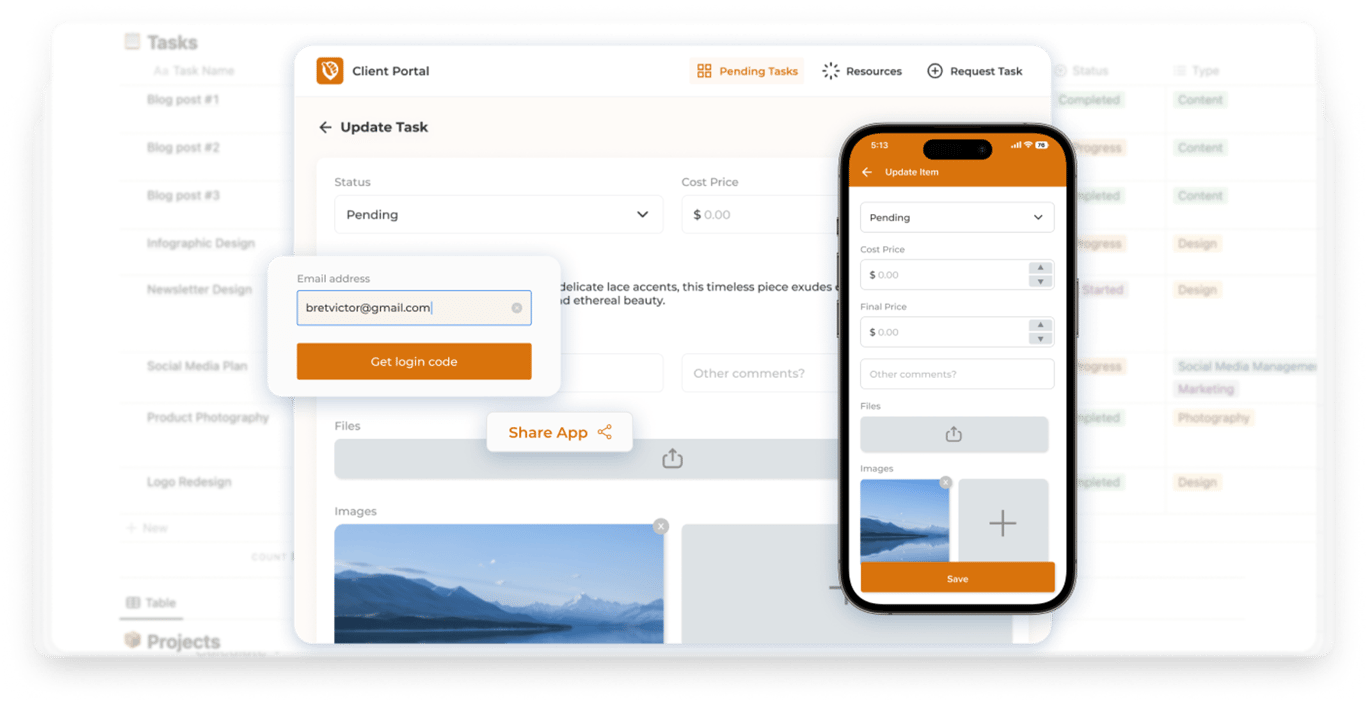
NotionApps sits directly on top of Notion databases and turns them into focused, app-like experiences. Instead of rebuilding workflows elsewhere, businesses can reuse the logic they already have in Notion and simply control how it’s exposed. Screens replace raw tables, filters replace manual searching, and forms replace ad-hoc edits.
This approach works especially well for operational use cases. Internal tools like task trackers, CRMs, order management systems, or client portals don’t need heavy frontend logic. They need clarity, consistency, and controlled access to data. By keeping the database as the source of truth, changes to workflows are easier to manage and less risky over time.
Another advantage is how naturally this fits into existing business setups. Teams already using Notion for documentation or planning don’t have to introduce an entirely new system. NotionApps extends what’s already there, turning static databases into tools people can actually use day to day.
At its core, this is what separates NotionApps from many other no-code tools. It’s not trying to replace your data layer or become a general-purpose app builder. It’s focused on making structured business data accessible, usable, and scalable without unnecessary complexity.
Other No-Code Platforms: What They’re Better Suited For
To understand where NotionApps fits, it helps to look at what other no-code platforms are designed to do well. Most of them are excellent at a specific job, but can feel limiting when used outside that context.
Website builders like Webflow, Framer, or Super are optimized for marketing and content. They shine when the goal is visual control, performance, and public-facing pages. For blogs, landing pages, or documentation, this works beautifully. But when workflows start to involve ongoing data updates, permissions, or internal processes, these tools often require workarounds or external systems to stay functional.
App builders such as Bubble or Glide focus on creating full-fledged applications. They offer a lot of flexibility, but that flexibility comes with overhead. Data models, logic, and UI are tightly coupled, which can make small changes feel heavier than expected. For many businesses, this level of complexity is unnecessary for internal tools or operational dashboards.
Automation platforms like Zapier or Make solve a different problem altogether. They connect tools and move data between systems, but they aren’t designed to be systems themselves. They work best as glue, not as the foundation of how a business operates day to day.
The common theme across these platforms is that they’re optimized for a specific layer, whether that’s presentation, application logic, or automation. When businesses try to stretch them into operational tools, friction starts to show. This contrast makes it easier to see why database-first platforms appeal to teams that want simplicity without sacrificing structure.
The Key Difference: Data Ownership vs Interface Building
One of the most important distinctions between no-code platforms is what they treat as the core of the system. Some platforms are built around the interface first, while others are built around the data itself. This difference has a big impact on how systems behave as business needs change.
Many no-code tools prioritize interface building. You design screens, connect logic, and then shape the data to fit that interface. This works well when the product is mostly user-facing and the structure doesn’t change often. But as workflows evolve, data models need to be updated, and maintaining consistency across interfaces becomes harder. Small changes can ripple through the system.
NotionApps takes a data-first approach. The database remains the foundation, and the interface is simply a way to interact with it. Because the data lives independently of the UI, businesses retain full ownership and control. Processes can change, properties can be added, and workflows can evolve without needing to redesign everything from scratch.
For businesses, this distinction matters more over time than at launch. When teams iterate on processes, onboard new users, or expand use cases, systems built around data tend to adapt more smoothly. Instead of rebuilding interfaces to match changing workflows, teams adjust the data structure and let the interface reflect those changes.
This shift from “building screens” to “exposing structured data” is often what separates tools that feel flexible in the short term from those that stay manageable in the long term.
Choosing the Right Tool Based on Business Stage
The "best" no-code platform isn't just about which one has the most features. It's about where your business is right now. Different stages have different needs, and a tool that feels like a lifesaver today might become a bottleneck tomorrow.
Early Stage: Speed is Everything
When you are just starting out, you need to move fast. You need to get something working, test your ideas, and avoid getting bogged down in setup. At this stage, the best tools are the ones that let you use what you already have. If your data is already in a spreadsheet or a simple database, use a tool that sits right on top of it. You want to build a solution, not a whole new infrastructure.
Growth Stage: Structure Matters
As your team grows, "quick and dirty" fixes start to break. You have more people touching the data, and workflows get complicated. Consistency becomes more important than raw speed. This is where you need a clear data layer. You want a platform that lets you clean up your structure without forcing you to rebuild the whole app from scratch. It is about making sure your tools can handle the weight of real daily use.
Mature Stage: Flexibility is Key
For established businesses, the challenge is change. Processes shift, roles evolve, and you need software that can keep up. The priority here is flexibility. You need systems where the data stays secure and central, but the interface can change to fit different teams. When you treat your data as the foundation, you can scale your operations without constantly fighting your own software.
The goal is simple: pick a tool that fits your reality. When you use no-code as a flexible layer over your actual operational data, you can grow without creating a mess you have to fix later.
Final Thoughts: Matching Tools to Reality
It is easy to think all no-code tools are basically the same. They aren't. The real difference isn't in the features, but in how well they fit the work you actually do.
Some tools are great for making things look good. Others are great for connecting apps. But for most businesses, the hardest part is managing the data and workflows you already have. If you pick a tool that ignores that reality, you will end up constantly rebuilding your systems instead of improving them.
The best approach is to treat your data as the foundation. When your data is solid, you can change how the interface looks or how the workflow runs without breaking everything underneath. This lets you start small and grow naturally, rather than getting stuck with a rigid system that can't change when your business does.
Ultimately, the right choice is the one that works for your team today but doesn't hold you back tomorrow. When you align your tools with your actual operations, no-code stops being just a shortcut. It becomes a way to build systems that last.